Pin Master - Nailed It!
Gimica GmbHPuzzle
3.91.78K Reviews
- Version
- 1.10.0
- Installs
- 1.00M
- Age Rating
- Everyone
Screenshots
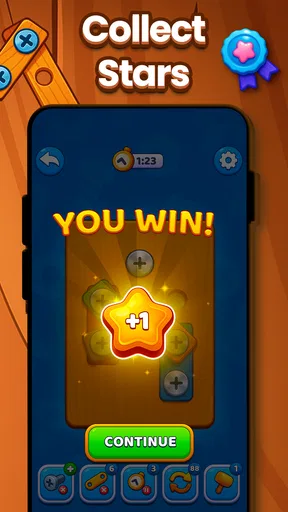
Our Review of Pin Master - Nailed It!
 Analysis by Appyee
I spent time with Pin Master - Nailed It! as a casual puzzle game, and my first impression was clear: it is built for short sessions where the challenge comes from deciding which screw or pin should move first. That simple premise makes it easy to understand, but not always easy to play well. A crowded board can look obvious until one careless tap blocks the route you needed a moment later.
That balance is the reason I can see myself recommending it to someone who enjoys hands-on logic puzzles rather than fast action. It is free to start, rated for Everyone, and made by Gimica GmbH. The game has reached over 1 million installs, with a 3.9 average from roughly 38 thousand ratings, so it has clearly found an audience. My experience was more mixed in a useful way: the basic idea is approachable, while the quality of a session depends heavily on patience, screen control, and how comfortable you are repeating a puzzle after a mistake.
What the puzzle feels like in everyday play
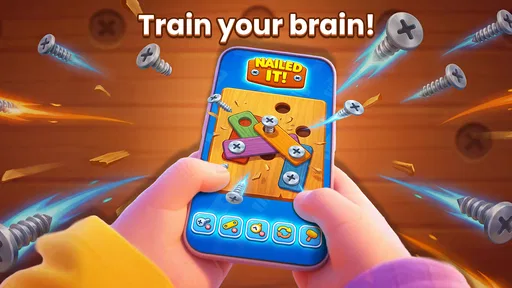
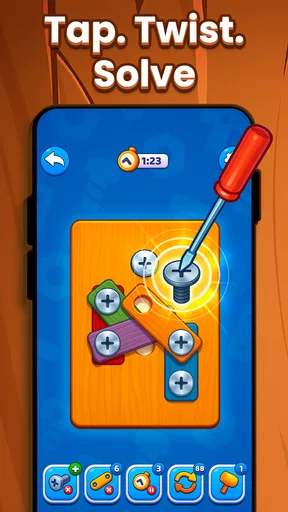
The central appeal is the physical-looking screw puzzle format. You inspect the arrangement, identify a piece that can be removed, and try to open enough room for the next move. I like that the game asks for observation before action. It is not mainly about tapping quickly; it rewards noticing dependencies and resisting the urge to move the most visible piece immediately.
That makes it a good fit for small gaps in the day. I can imagine opening it while waiting for a coffee, taking a few turns during a commute, or playing one puzzle before bed. The controls are the kind of interaction that needs very little explanation, which helps when you want to start without reading a tutorial. At the same time, the simplicity means the game has to create interest through the arrangement of each board rather than through a complicated control scheme.
One of the less obvious skills is learning to treat empty space as a resource. A screw may be movable now, but using a useful opening too early can leave later pieces with nowhere to go. I found it more reliable to scan the whole board first, looking for blocked pieces and possible destinations, instead of following the first available move. That small change turns the game from casual tapping into a more deliberate planning exercise.
Where new players usually get stuck
The first common mistake is assuming that an available move is automatically a good move. In this type of puzzle, the legal option in front of you can be a trap. Removing one part may expose another, but it can also occupy the only practical space needed for a different sequence. I recommend pausing for a few seconds at the start of a board and identifying at least two possible opening moves before touching the screen.
The second problem is visual overload. Several screws, boards, and overlapping shapes can make the correct order hard to read, especially on a smaller phone. If a piece seems unresponsive, I first check whether I am touching the actual screw rather than the surrounding material. A slow, centered tap is more dependable than repeated quick taps near the edge of an object.
Another point where players get stuck is after an apparently successful move. The board may look more open, but the next decision can still be constrained by the space already used. I found that checking the destination before moving is more important than checking the piece itself. Ask where the screw will go, whether that space remains useful, and what it will leave behind.
When a puzzle stops making sense, I do not immediately blame the controls. I retrace the last few moves mentally and look for the first decision that reduced my options. That is usually more productive than tapping around randomly. Random taps can make the board harder to understand and may turn a recoverable position into one that needs a restart.
Setup checks before blaming the game
Because this is a touch-based puzzle, the first practical check is the screen itself. A dirty or damp display can make a precise tap feel inconsistent. I wipe the screen, hold the phone comfortably, and avoid playing with a finger resting on another part of the display. This sounds basic, but a game built around selecting small objects exposes poor touch accuracy quickly.
I also check that the game has finished loading before judging its responsiveness. If the opening screen or a board appears only partially ready, waiting briefly and trying again is safer than repeatedly pressing the same area. On older devices, closing other demanding apps can make general interaction feel steadier. The game supports Android 7.0 and later, so compatibility is broad, but an older supported phone can still feel less comfortable than a newer one when the screen is small or the device is busy.
For anyone installing it for a child, the Everyone age rating is reassuring from a content standpoint, but I would still explain that free games can include optional purchases. Pin Master - Nailed It! is free to download, while individual in-app purchases range from $0.99 to $4.49. I prefer deciding in advance whether purchases are allowed, especially on a shared device, rather than making that decision after a difficult level creates pressure to continue.
The current version is 1.10.0, and keeping the installation current is a sensible first step if the game behaves oddly. I would also make sure there is enough storage for normal app operation and avoid switching rapidly between the game and other apps while a puzzle is being opened. These are general checks rather than special tricks, but they remove several avoidable causes of freezing, delayed taps, or an interrupted session.
A safer workflow when a board goes wrong
My preferred workflow is simple. I begin by identifying the pieces that appear to have the fewest options, then I look for a move that creates space without consuming a useful destination. After each move, I pause and reassess instead of following a fixed plan. This is slower than tapping continuously, but it reduces the chance of building a problem from an early assumption.
If I make a questionable move, I stop immediately. I do not try to repair the position with several hurried actions. First I check whether the new arrangement still leaves an open route. If it does, I continue carefully. If every remaining option seems to depend on the mistake, restarting the board is usually cleaner than spending time trying to force an unlikely recovery.
That approach matters because a failed puzzle is not always evidence that the level is unfair. Sometimes I have simply used a space too soon or overlooked a piece that needed to move first. Treating the failed attempt as information helps: I remember the blocked area, avoid repeating the same opening, and test the alternative sequence. The game becomes more satisfying when I use the first attempt to understand the board rather than viewing it as wasted time.
When the interface seems to stop responding, I use a short recovery routine. I lift my finger, wait a moment, and try one deliberate tap on the intended object. If the board still does not react, I leave the puzzle and reopen the game rather than repeatedly pressing. I avoid claiming that every interruption is a game fault, because touch input, device load, and an accidental tap can produce similar symptoms.
There is also a useful distinction between a puzzle mistake and a session problem. If only one move seems difficult, I inspect the board and my tap position. If the whole game feels delayed across menus and puzzles, I check the device, close background apps, and restart the session. Separating those cases prevents me from changing a successful strategy just because the phone was temporarily struggling.
When the app is not the cause
A puzzle can feel broken when the real issue is visibility. Glare, a low screen brightness setting, or a protective film that reduces touch precision can make small targets harder to select. I get better results by changing my viewing angle and using a stable grip rather than pressing harder. Pressing harder does not improve a tap and can make accidental touches more likely.
Network conditions can also complicate the general app experience, particularly around loading or optional parts of a free game. I do not assume that every delay comes from the puzzle board itself. If a board is already open and the controls respond normally, the underlying challenge is probably my sequence rather than connectivity. If a screen is slow to appear, I give it a moment and avoid repeatedly launching the same action.
Device age matters too. Android compatibility beginning at version 7.0 means many phones can install the game, but installation eligibility is not the same as identical performance. A compact older handset may make the screws harder to distinguish, while a newer phone can provide a more comfortable view. If precision is the main frustration, trying the game on a larger supported screen may tell me more than changing my puzzle strategy.
Finally, I keep expectations realistic about what this game is designed to provide. It is a focused puzzle experience, not a broad collection of unrelated mini-games. Someone looking for a story, competitive multiplayer, or a deep progression system may find the format too narrow. The usual alternative in this category is a match-three game, which tends to offer faster feedback and more obvious chain reactions. A traditional crossword or number puzzle is a better choice when I want language or calculation rather than spatial planning.
Who will enjoy it, and who should skip it
I think Pin Master - Nailed It! suits players who like visual order, mechanical themes, and puzzles that can be approached without a long learning curve. It is especially useful for people who enjoy replaying a problem to improve their sequence. The game also works for a family setting because the age rating is Everyone and the interaction is easy to demonstrate, although younger players may still need help understanding why the first available move is not always the best one.
I would be less likely to recommend it to someone who dislikes restarting, gets frustrated by small touch targets, or wants every session to feel quick and effortless. The same deliberate structure that makes a successful solution satisfying can make a failed attempt feel repetitive. Players who prefer immediate rewards may be happier with a match-three alternative, while those who want a more contemplative challenge may prefer a dedicated logic or crossword app.
The free entry point is helpful for trying the core experience without committing money. Still, the presence of optional purchases means I would not treat it as automatically cost-free in a shared household. I would also avoid making purchases simply to rush past a puzzle that I have not properly studied. In my view, the best reason to spend anything would be convenience, not pressure created by a difficult board.
My practical verdict after working through the friction
Pin Master - Nailed It! works because its main question is easy to understand: what should move first? The answer can require more thought than the presentation suggests, and that gives the game its strongest moments. I enjoyed the boards most when I slowed down, protected open space, and treated each move as part of a sequence rather than an isolated tap.
Its limitations are equally clear. Small visual targets can make mistakes feel like control problems, a poor opening can force a restart, and the focused format will not satisfy players seeking stories or varied game modes. The 3.9 average from about 38 thousand ratings reflects a game with broad appeal but also room for individual frustration. I would describe it as approachable rather than universally relaxing.
My recommendation is to try it when you want a free, hands-on logic break and are willing to think before tapping. Start with a clean screen, check the whole board, protect useful empty spaces, and restart calmly when a sequence has genuinely collapsed. If that style of problem-solving sounds enjoyable, the game has enough immediate clarity to make the download worthwhile. If you want fast matching, wordplay, or a richer long-term system, another puzzle category will probably serve you better.
Verdict
Strengths of Pin Master - Nailed It!
- Simple controls make it easy to start playing immediately.
- Short levels are ideal for quick gaming sessions.
- Increasing difficulty keeps the challenge engaging.
- Bright visuals and clear effects make gameplay easy to follow.
- Works well as a casual game for relaxing or passing time.
Limitations of Pin Master - Nailed It!
- Repeated level patterns may feel predictable after extended play.
- Precision-based stages can become frustrating on smaller screens.
- Progress may feel slow if later levels require many attempts.
- The game offers limited variety beyond its core nailing mechanic.
- Frequent interruptions can reduce the enjoyment during longer sessions.
Other Releases by Gimica GmbH
View All


Similar Picks in This Category
View All
Block Blast!
HungryStudio4.8

Braindom: Brain Games Test
Lahana Game Studio4.6

AMAZE!
CrazyLabs LTD4.6

Sudoku - Classic Sudoku Puzzle
Oakever Games4.7

Art Puzzle - Puzzle Games
Easybrain4.8

Amaze GO!
Oakever Games4.9
Frequently Asked Questions
What is Pin Master - Nailed It! and how is the gameplay?
Pin Master - Nailed It! is a casual puzzle game centered on placing or removing pins in the correct order. Each level presents a board with obstacles, moving parts, or blocked paths, and you must think ahead before making a move. The early stages are easy to understand, while later puzzles require careful planning, timing, and attention to detail.
Is Pin Master - Nailed It! free to download and play?
The game can generally be downloaded and played without an upfront purchase, making it accessible to most casual players. However, free gameplay may include advertising, optional in-app purchases, or both. Ads can sometimes appear between levels or after completing a challenge, while purchases may offer bonuses or remove advertising. Check the store listing for the latest pricing details.
Does Pin Master - Nailed It! work offline?
Many of the core puzzles can usually be played without a continuous internet connection, which makes the game suitable for short sessions while traveling or when mobile data is unavailable. Nevertheless, an internet connection may be needed for advertisements, cloud features, updates, rewards, or purchases. Availability of offline functions can also vary between Android and iOS versions.
Is Pin Master - Nailed It! suitable for children and beginners?
Pin Master - Nailed It! is designed to be easy to start, with simple controls and puzzles that gradually introduce more complicated mechanics. It can be suitable for children and beginners, although younger players may encounter advertisements or optional purchase prompts. Parents should review the device’s purchase restrictions and advertising settings before allowing unsupervised play.
Are there many levels, and does the game become repetitive?
The game offers a progression of puzzle levels that gradually increases in difficulty, giving players a reason to continue after mastering the introductory stages. Its main appeal comes from solving compact challenges and improving your decision-making. However, players who prefer a large variety of game modes may eventually find the core pin-based mechanics familiar, particularly during longer play sessions.
Play our best games!


